Clearing an Envelope Stoppage
Envelope stoppages can occur in the feeder area, WEIGH-ON-THE-WAY® (W-O-W®) area or printer area of your mailing system. When an envelope stoppage occurs, an error message will display indicating the area where the envelope has stopped.
Clearing an Envelope Stoppage in the Feeder Area
-
Lift the feed cover.
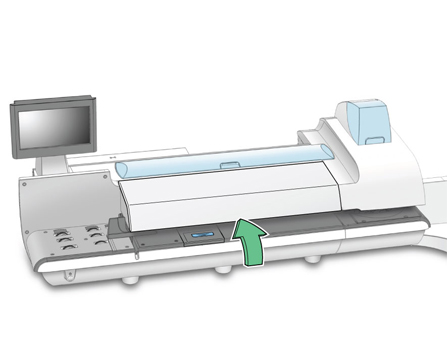
-
Pull up on the top release lever.
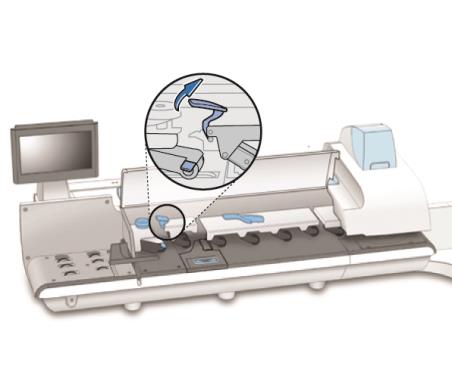
-
Lift up the lower release lever and remove the envelope.
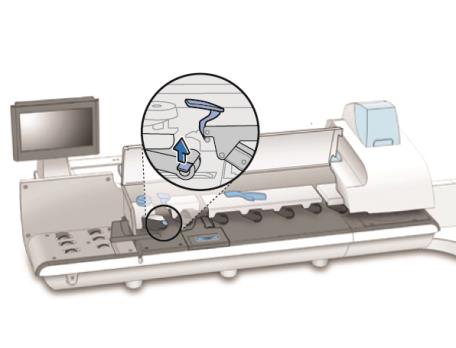
NOTE: Depending on how badly the envelope is damaged, you may need to replace it.
- Make sure the feed deck is clear and the lower release lever is down.
- Push down on the top release lever until it snaps into place.
- Close the feed cover.
- Select Resume printing to continue processing mail.
Clearing an Envelope Stoppage in the WEIGH-ON-THE-WAY® (W-O-W®) Area
-
Lift the feed cover.
-
Lift up the WEIGH-ON-THE-WAY® (W-O-W®) transport release lever and remove the envelope.
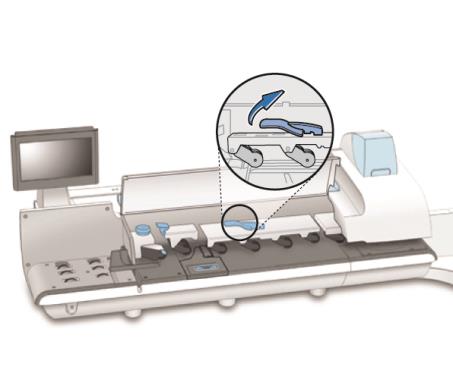
NOTE: Depending on how badly the envelope is damaged, you may need to replace it.
- Make sure the WEIGH-ON-THE-WAY® (W-O-W®) deck is clear and the release lever is down.
- Close the feed cover.
- Select Resume printing to continue processing mail.
Clearing an Envelope Stoppage in the Printer Area
-
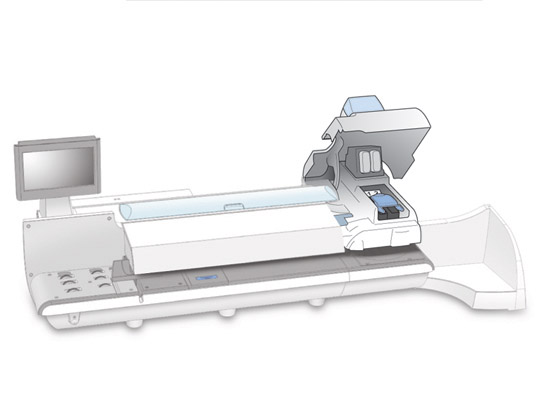
Open the printer cover.
-
Lift up on the printer transport release lever and remove the envelope.
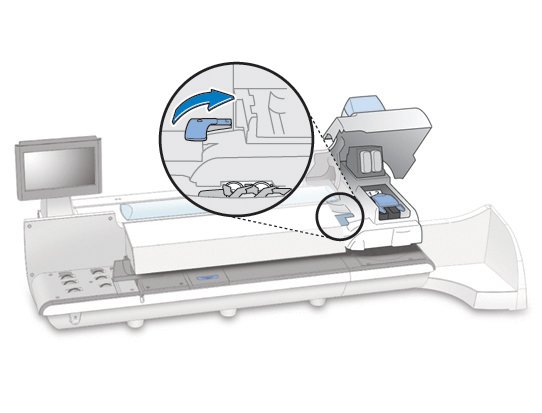
NOTE: Depending on how badly the envelope is damaged, you may need to replace it.
- Make sure the printer deck is clear and the release lever is down.
- Close the printer cover.
- Select Resume printing to continue processing mail.
 Related Topics